
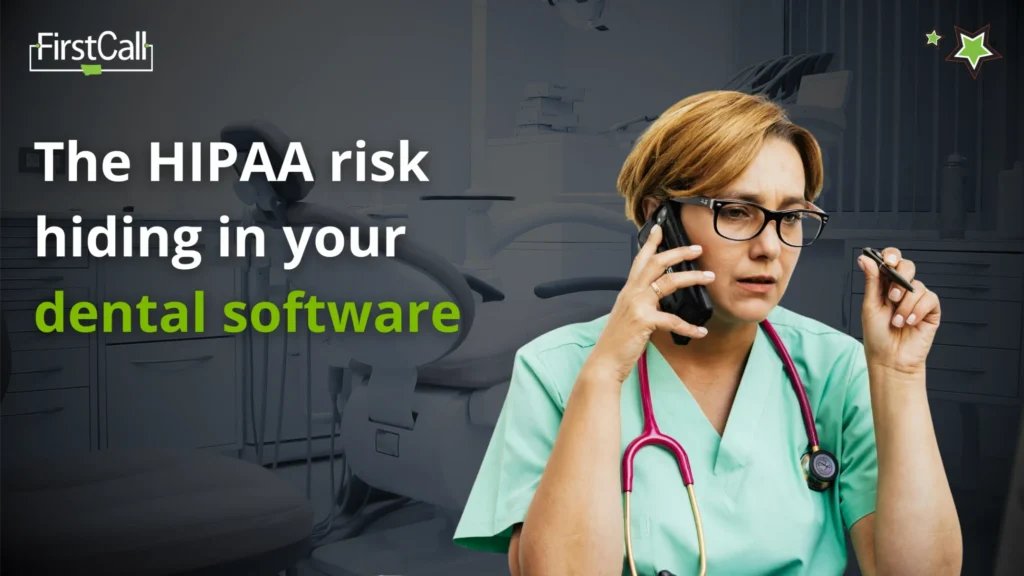
Dental practices sit in an interesting position when it comes to cybersecurity. The clinical side of the business runs on specialized software, imaging systems, and patient management platforms that most IT environments never have to think about. The administrative side handles protected health information every single day. And the team keeping everything running is usually small, focused on patient care, and not thinking about either of those things at the same time.
That combination is exactly what makes dental practices a consistent target for ransomware. And it is why HIPAA compliance in a dental environment is not just a documentation exercise. It is something that has to be woven into how the systems actually work.
We manage IT for dental practices across Montana, and the patterns we see are consistent enough that they are worth talking through openly with the teams we support.
Why Dental Practices Attract Ransomware
Ransomware finds its way into environments where access is broad, backups are inconsistent, and the pressure to restore operations quickly is high. Dental practices tend to check all three boxes without anyone engineering it that way.
Patient scheduling, billing, imaging, and clinical notes are often spread across two or three different platforms, each with its own access credentials and update cadence. When those systems are not being actively managed, patches fall behind, credentials get shared for convenience, and the connections between platforms create gaps that are not visible from the inside.
The pressure piece matters too. When a practice cannot access patient records or pull up imaging on the day of an appointment, the cost of downtime is immediate and personal. Ransomware operators know this. Practices that feel they cannot afford to be offline for any length of time are more likely to consider paying, which is why the targeting is deliberate rather than random.
We work to close those gaps before they become the reason a practice is offline.
What HIPAA Actually Requires Day to Day
HIPAA compliance is one of those obligations that looks straightforward on paper and gets complicated in practice. The rules around protected health information are well established. The challenge is applying them consistently across a working dental environment where systems change, staff turns over, and the clinical day does not leave a lot of room for security housekeeping.
The areas we pay closest attention to across the practices we support are access controls, audit logging, encryption, and business associate agreements.
Access controls determine who can see what. In a well-configured environment, a front desk team member does not have the same access as a treating clinician, and neither of them has access to systems they do not need. In practice, permissions tend to accumulate over time the same way they do in any environment. Someone needs temporary access, gets it, and still has it a year later. We review this regularly and keep it aligned with how the practice is actually structured.
Audit logging means there is a record of who accessed patient information and when. Most dental software supports this, but the logs are only useful if someone is watching them. We monitor these as part of our ongoing management so that anything unusual surfaces promptly rather than going unnoticed.
Encryption covers patient data both at rest and in transit. This is one of the areas where dental practices most often have gaps without realizing it. Imaging files in particular can be large, frequently transferred, and stored in ways that were set up when the software was installed and never revisited. We make sure the configuration matches what HIPAA requires rather than what was default at setup.
Business associate agreements need to be in place with every vendor that handles patient data on the practice’s behalf. This includes software vendors, cloud storage providers, billing services, and IT providers like us. We help the practices we support maintain an accurate inventory of these agreements and make sure they are current.
A Familiar Pattern
One dental practice we support had been running without a significant incident for several years. Their systems were generally up to date, the team was careful, and they had not had reason to think seriously about their security posture.
What we found when we did a thorough review was that their backup solution had been running quietly for years without anyone verifying that the restores actually worked. The backups were completing successfully according to the dashboard. When we tested a restore, the process failed. The data was there but the recovery procedure had a configuration issue that would have made it effectively unusable in a real incident.
We fixed the configuration, tested the restore process properly, and put a regular verification schedule in place. The practice never knew they had a problem because the problem never became an incident. That is exactly what good IT management is supposed to look like.
What We’re Managing on Your Behalf
Across the dental environments we support, there are five things we stay on top of consistently, and they tend to be the areas that make the most difference when something goes wrong.
Keeping systems patched and up to date covers the dental-specific platforms that have their own update cycles separate from standard Windows or server updates. These are easy to overlook because they sit outside the normal IT update rhythm, and they are exactly where gaps tend to appear.
Maintaining and testing backup and recovery processes means that a ransomware incident does not become a permanent data loss event. A backup that completes without errors is not the same as a backup that can be successfully restored, and we verify the difference on a regular schedule.
Managing access controls keeps permissions aligned with how the practice is actually structured rather than how it was structured when accounts were first created. This is one of those areas that drifts without anyone noticing and takes very little effort to keep current when someone is watching it.
Monitoring for unusual activity across the environment means that early signs of compromise surface before they become something bigger. The earlier something is caught, the more manageable the outcome.
Keeping HIPAA documentation current and accurate covers policies, risk assessments, and business associate agreements. This is the documentation that determines how a practice is treated in the event of an incident or audit, and it tends to be the area most likely to fall behind when nobody has specific ownership of it.
None of this is visible on a normal operating day, which is as it should be. It is visible when something goes wrong, and the goal is to make sure that when something does, the impact is contained and the recovery is fast.
Why We’re Sharing This
Healthcare is one of the most targeted sectors for ransomware, and dental practices specifically have seen a meaningful increase in incidents over the past few years. The combination of sensitive data, time-pressured operations, and specialized systems makes them an attractive target.
The practices that come through incidents well are the ones that had the right foundations in place before anything happened. Tested backups, current access controls, monitored systems, and documented compliance do not prevent every incident, but they change the outcome significantly when one occurs.
If anything here raises a question about how a specific area is being handled in your environment, the TechStack Challenge is a good starting point. It is a focused conversation with one of our experts that scores your tech stack and delivers a clear report on how well your technology, team, and operations are aligned, and where the gaps are.
FAQ
Are dental practices really targeted by ransomware specifically?
More than most people realize. Healthcare as a sector is consistently among the most targeted, and dental practices are attractive because they hold sensitive data and have a low tolerance for downtime. The targeting is deliberate.
What happens to HIPAA compliance if we experience a ransomware attack?
A ransomware incident that involves patient data typically triggers HIPAA breach notification requirements. How well the practice has documented its security program and how quickly it can demonstrate containment affects both the regulatory outcome and the practical recovery timeline. We help practices maintain the documentation that makes that process as manageable as possible.
How do we know our backups are actually working?
Testing them. A backup that completes without errors is not the same as a backup that can be successfully restored. We verify restore processes on a regular schedule so that the answer to this question is based on evidence rather than assumption.
What is the most common HIPAA gap we find in dental environments?
Business associate agreements that are outdated or missing entirely, and access permissions that no longer reflect the current team structure. Both are easy to address once they are visible, and both tend to accumulate quietly without anyone noticing. The TechStack Challenge is designed to surface exactly these kinds of gaps, and delivers a clear report on where your technology, team, and operations are aligned and where they are not.